
 Intelli Docs
Channels
Channels
Connect WhatsApp, Instagram, Facebook Messenger, and your website widget. one inbox for all of them.
A channel is any place your customers can reach you. Intelli pulls them all into one inbox. Manage them at Dashboard → Channels.
Supported channels
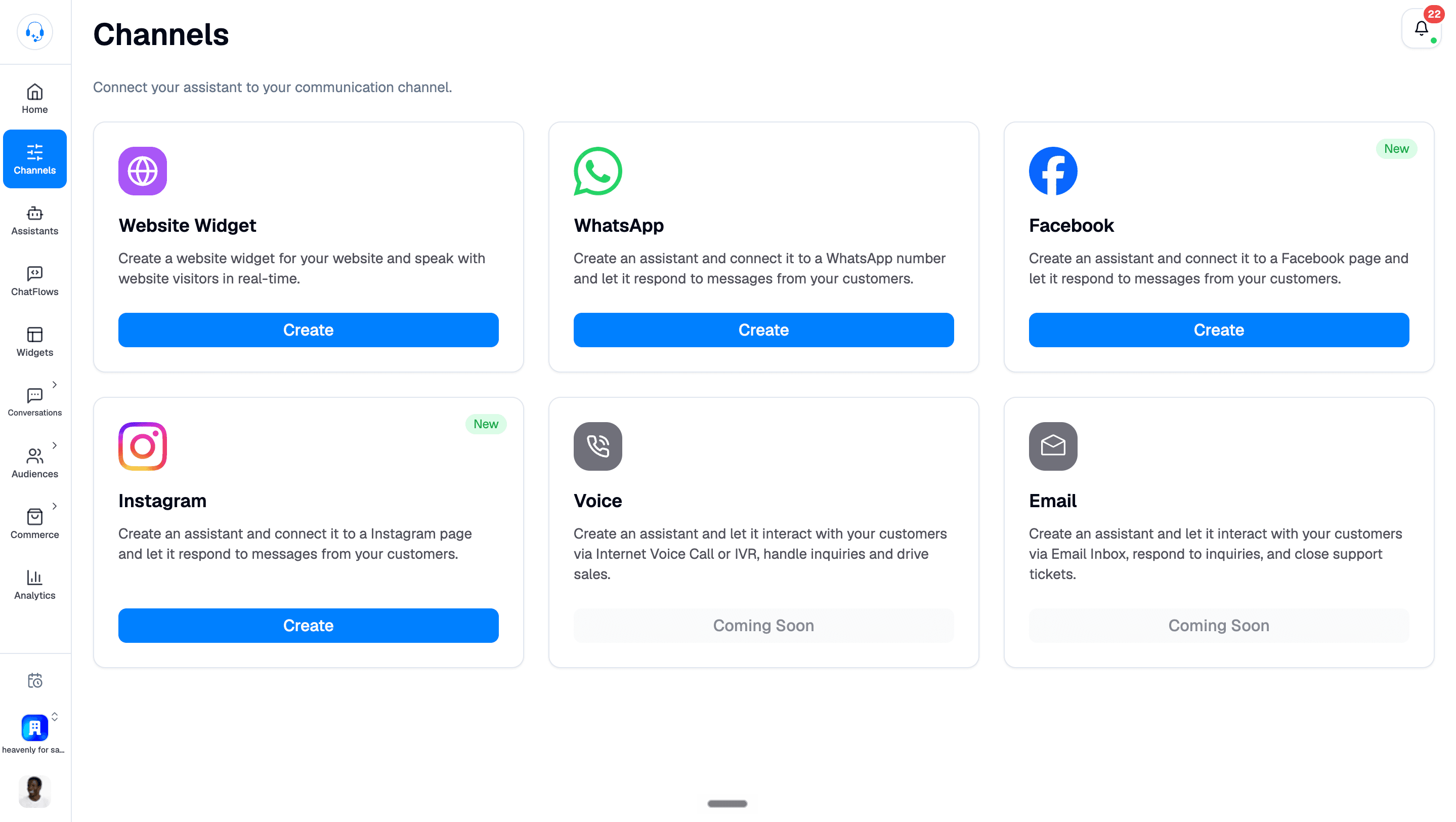
- Website Widget: A chat bubble on your site. Customize colour, name, greeting. The Create button takes you to the Playground builder. See Add a Website Widget.
- WhatsApp: The flagship. Send templates, run campaigns, build chatbots. See Connect to WhatsApp.
- Facebook Messenger (new): Connect your Facebook Page and pick the assistant that will handle Messenger conversations. See Connect Facebook Messenger.
- Instagram (new): Your assistant answers Instagram DMs, and you reply from your inbox. Requires an Instagram Professional (Business or Creator) account. See Connect to Instagram.
- Voice (coming soon): Voice calls handled by your assistant.
- Email (coming soon): Emails to your support address in the same inbox.




Connecting a channel: the general shape
- Create an assistant first. The Meta channels (WhatsApp, Instagram, Messenger) ask you to pick one during setup, and block if none exists.
- Go to Channels and click the channel you want.
- Sign in to the underlying account (Facebook, Instagram) and grant the permissions Intelli asks for.
- Send a test message from your phone or another account. Watch it show up in Conversations.
WhatsApp specifics
WhatsApp Business is the most powerful channel and has the most rules:
- You need a WhatsApp Business Account (WABA) and a phone number tied to it. We'll walk you through it in Connect to WhatsApp.
- Numbers already on the WhatsApp Business app can connect in coexistence mode; your app keeps working alongside Intelli.
- You can connect multiple numbers per organization.
- Outbound messages outside a 24-hour conversation window need an approved template.
- Quality rating and messaging limits are set by Meta; keep spam complaints low to keep your daily limit high.
What's next
- See messages from every channel in one place → Manage Conversations
- Decide who answers what → Set Up Your Assistant