
 Intelli Docs
Connect to Instagram
Put your AI assistant on your Instagram DMs and reply to direct messages from the Intelli inbox.
Connect your Instagram Professional account and your assistant answers new DMs automatically, while every conversation lands in your unified inbox.
Find the setup at Dashboard → Channels → Instagram. The page is called Get started with Instagram, and the Instagram setup card walks you through three stages: Sign in → Activate → Live.
What you'll need
- An Instagram Professional account; Business or Creator. Personal accounts can't be connected.
- An assistant set up, so DMs get answered.
Sign in with Instagram
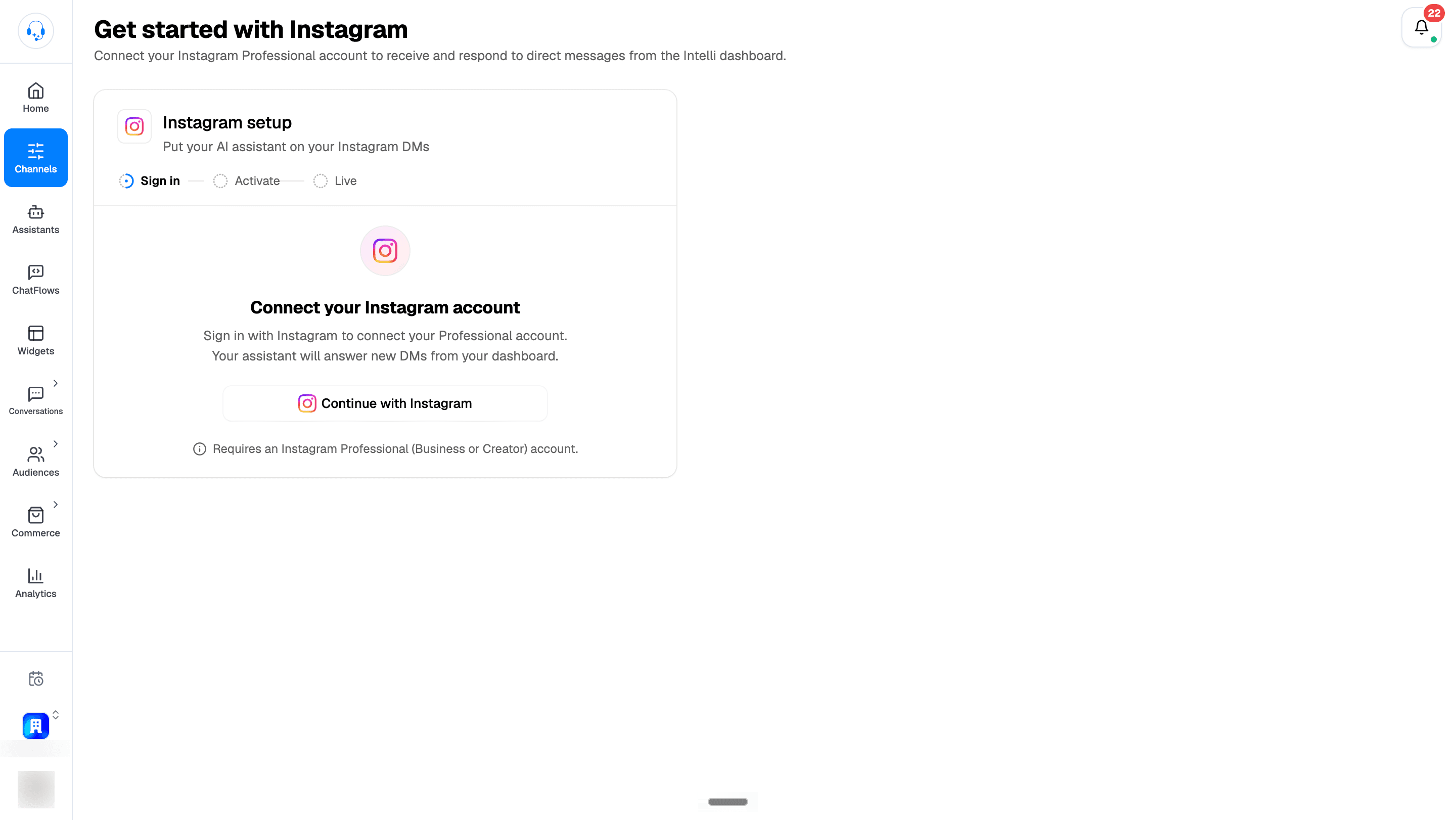
- Click Continue with Instagram on the Instagram setup card.
- You're redirected to Instagram to authorize Intelli. Sign in with your Professional account and approve the requested permissions.
- Back in Intelli, the card shows Activating your Instagram channel. Keep the tab open; this usually takes under a minute.
If something goes wrong, the error appears on the card with a Try again button.
You're live: see it answer your first DM
On success you'll see "Your Instagram is connected" with your @handle and a short test checklist:
- Have a friend or teammate DM your account. Instagram doesn't let you message yourself. Use the Open chat link button to share a direct message link.
- Your assistant replies on its own.
- Click Open your inbox to watch the conversation land in Conversations → Instagram.
You can also click Connect another account to link a second Instagram account to the same organization.
The Instagram inbox
Open Dashboard → Conversations → Instagram to read and reply to DMs yourself.
- The Connected Instagram Account: picker at the top of the conversation list lets you switch between accounts when you've connected more than one.
- If nothing is connected yet, the page shows No Instagram Account Connected with a Connect Instagram button.
Composing replies
The message composer supports more than plain text:
- Attachments: images up to 8 MB; videos, audio, and PDFs up to 25 MB.
- Voice messages: tap the microphone to record, then send.
- Emoji: built-in emoji picker.
- Canned responses: insert a saved reply from the composer.
- Send heart: a heart button for quick reactions when the composer is empty.
Text messages are capped at Instagram's 1000-character limit; a counter appears while you type. Press Enter to send, Shift+Enter for a new line.
What's next
- Reply from one inbox → Manage Conversations
- Tune what your assistant says → Set Up Your Assistant
- Connect WhatsApp too → Connect to WhatsApp